You are in the category: File Manager | All categories
Go to:
or
|
Answer: Sure. Find the link to the File Manager on the main page of the website Control Panel and click it. You will see a list of all files, uploaded to the server. To upload a new file from your computer, you need to do the following: 1. Click "Choose File", find the necessary file, select it and click "Open". 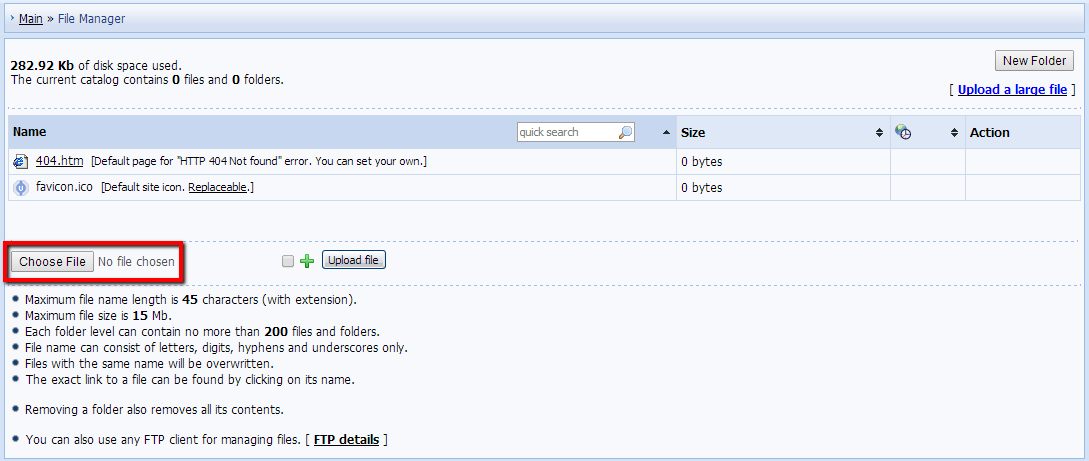 2. Click "Upload file". The file will be uploaded and its name will appear on the list of files. 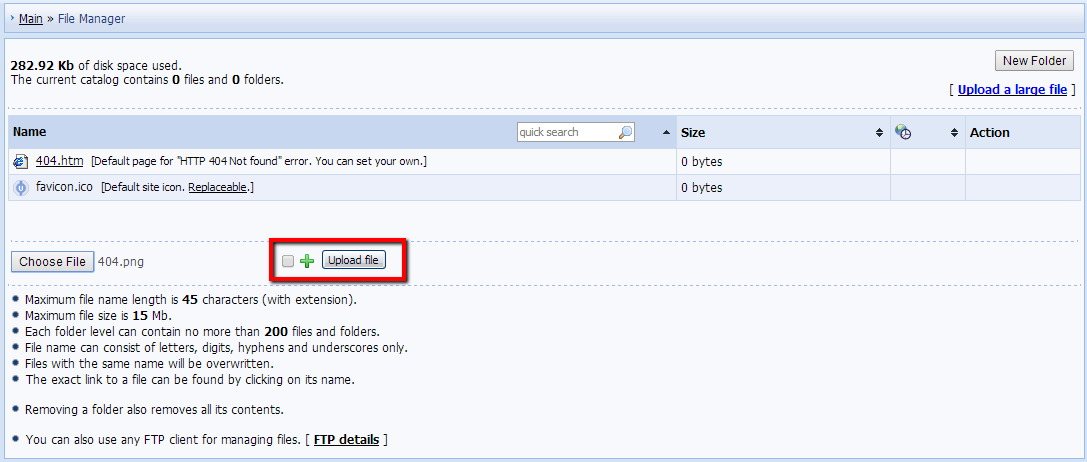 Note:
 |
|
Answer: The default maximum size of a file for uploading via File Manager is 15 Mb. However, this limit may be increased for files, uploaded via FTP, if you buy additional disk space. |
|
Answer: Yes, you can store files of any format. |
|
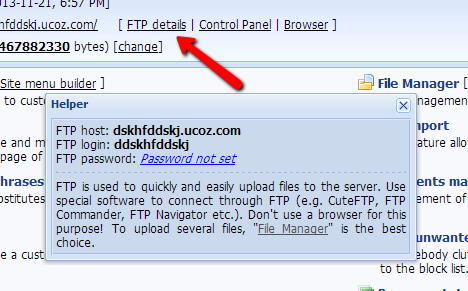
Answer: Yes, it is possible. You can find the details of FTP connection in the "FTP details" section on the main page of the Control Panel. 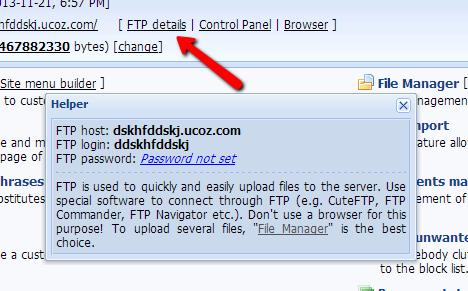 |
|
Answer: uCoz is a system for the creation of dynamic websites, that's why we have disabled uploading of files with the following extensions via FTP: .html, .htm, .shtml, .exe, .com, .scr, .hta, .msi, .pif, .php, .php3, .php4, .jsp, .jspx, .asp, .cgi, .cfm, .phtml. If you need to upload such files, you can do this in Control Panel, in the "File Manager" section. Keep in mind that it is required to use modules on a website. According to the system rules, a website may be regarded as inactive if there have been no visitors of interactive web applications (module pages) for 40 days, which will lead to the website deactivation. |
|
Answer: It is possible to purchase disk space increase only up to 10 Gb. Disk space increase is available as a separate paid service in Control Panel -> $Paid services -> Paid services -> But a separate service -> Increase disk space: +10000 Mb. |
|
Answer: Yes, there a limit for the number of files and folders per one directory. The maximum number of files and folders per one nesting level (one directory) is 200. |
|
Answer: uCoz has the backup function, by means of which both a website backup copy and a template backup can be created. All template backups that you create on your website are stored in the _tbkp folder of your File Manager. |
|
Answer: To create a backup copy of your website, go to Control Panel -> Tools -> Project backup. You will be able to choose the necessary backup options, and save only the databases, only the uploaded files, or everything. After you have chosen the necessary option, click "Create backup copy". 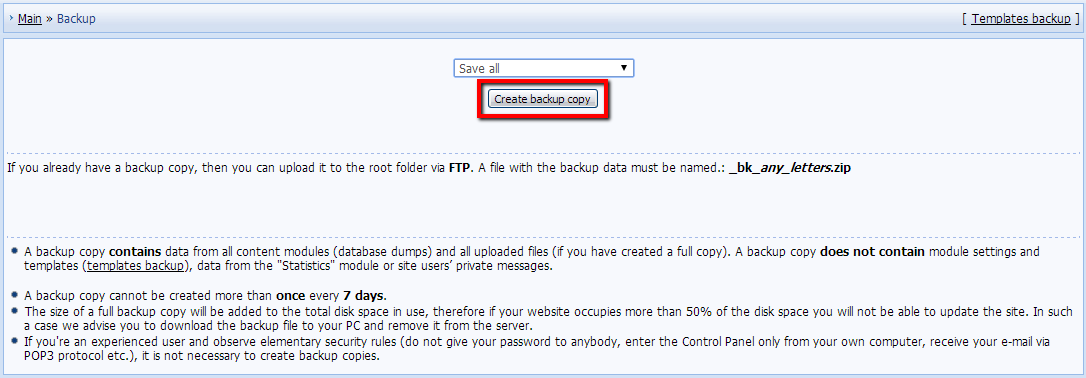 Remember, that if you want to create a template backup, you need a separate option: Control Panel -> Design customization -> Template backup. |
|
Answer: Don't worry, FTP will start working two hours after the website creation. |
|
Answer: To work with PHP scripts, you need to pay for the possibility to use PHP on your website. The service can be purchased either separately or as a part of some paid packages. The possibility to use PHP is available in the following paid packages: Developer, Premium+, Developer+, Ultra. To buy a package, go to Control Panel -> $Paid services -> Paid services -> Show all packages. 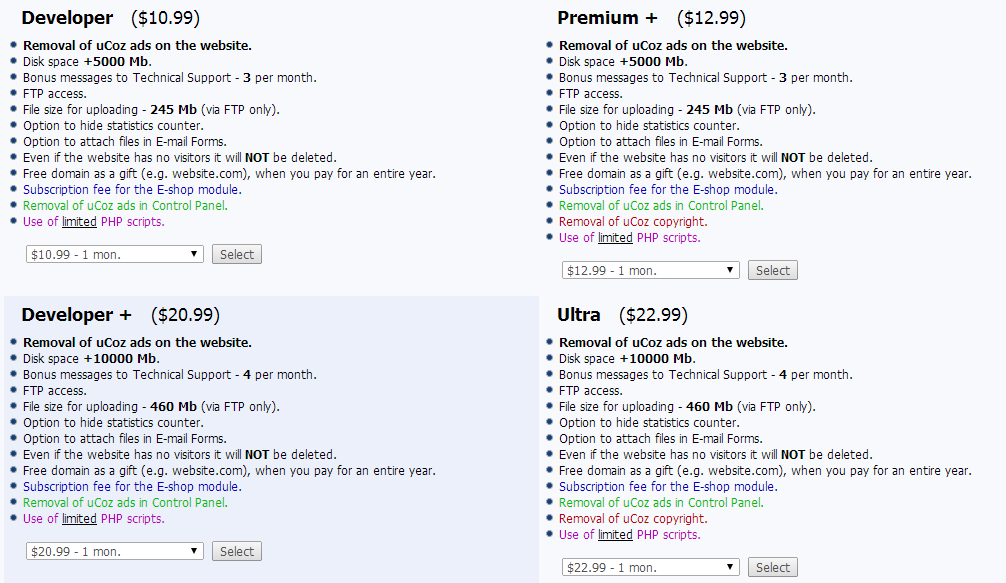 To buy the possibility to use PHP as a separate service, go to Control Panel -> $Paid services -> Paid services -> PHP (the drop-down list in the top right corner), and choose the necessary period for which you want to activate the service. A detailed info on how to work with PHP is available in a separate tutorial. |