You are in the category: PHP & API | All categories
Go to:
or
|
Answer: PHP is a paid service. It is available both within the paid packages (starting with the Developer package) and as a separate service ($1.99/month). It is forbidden to use the following language functions:
You can find examples of what can be done by means of PHP here. Description of PHP scripts usage. |
|
Answer: At the moment it is available in 11 modules: blog, board, dir, gb, load, news, photo, publ, stuff, forum, index. |
|
Answer: You can do this in Control Panel -> Settings -> Common settings -> Allow API usage. By default it is disabled.  |
|
Answer: You can read about it in the tutorial here. |
|
Answer: Yes, there is. This feature lets use API only those who know the API key. API will not work for others. You can enable this feature in Control Panel -> Settings -> Common settings -> Use API key. The key is generated automatically. If you want to change the existing key, disable this feature and then enable it again and save the changes.  |
|
Answer: PHP in uCoz is a paid service. It is available as a part of the Maximal plan, or as an additional option ("The possibility to use PHP scripts") to other plans for $1.99 per month (Note: additional options can be purchased only on the same day as a plan). When the PHP service is enabled, an account is created on a separate server. All PHP scripts are executed on this server. The access to this account, change and removal of data is done via the FTP protocol with a username and a password (you specify them when activating PHP). You can see them on the Control Panel main page. 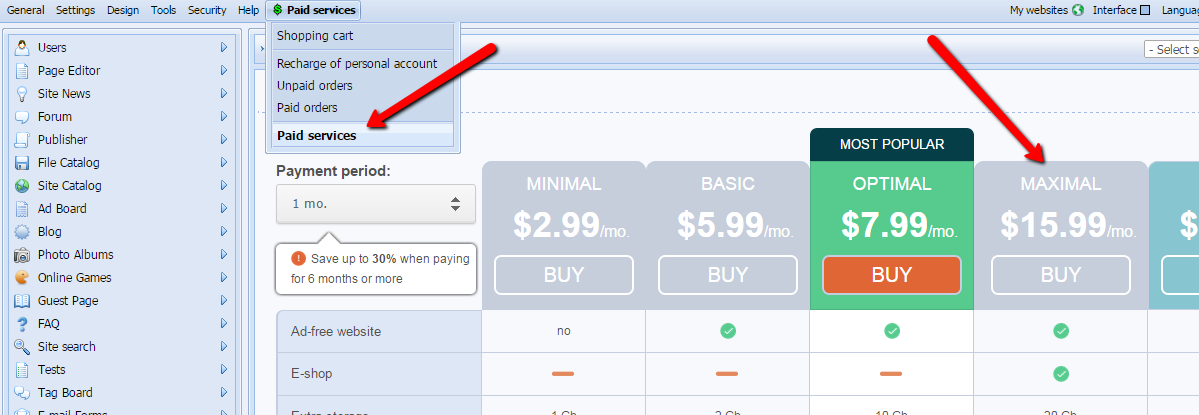 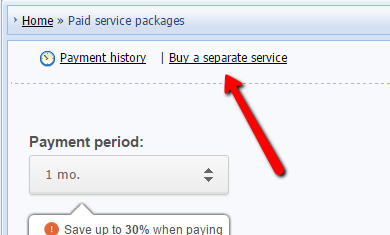 |
|
Answer: The list of limitations:
|
|
Answer: See the instructions on the official website: phpexample.ucoz.net |
|
Answer: When you buy the service for the first time, it is activated immediately, and to use it you just need to set an FTP PHP password in the Control Panel of your website. After all subsequent payments for the PHP service, if there is a time gap between the orders, the service is activated within 24 hours because the PHP server needs to configure new settings. 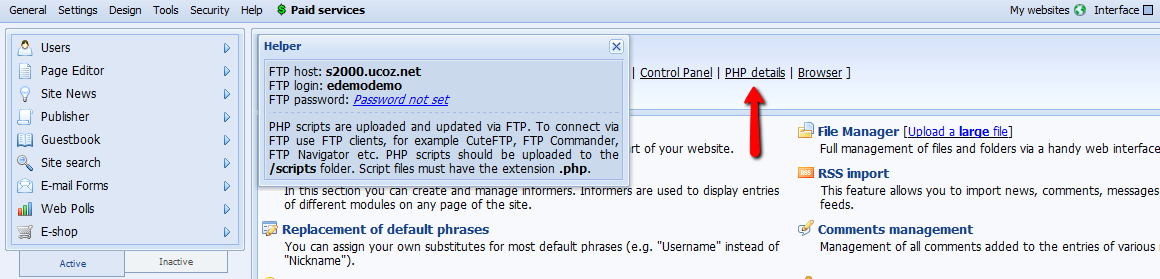 |