You are in the category: Domain Registration (uCoz Domain) | All categories
Go to:
or
|
Answer: Sure! Third-level domains (for example, site.ucoz.com) are given to users for free. To remove .ucoz from the URL of your website, you will need to attach a custom second-level domain to the website. You can do this via the Control Panel: Settings -> Domain transfer (custom domain). You may not only attach any domain to your website, but also manage it fully: create subdomains and e-mail addresses like hello@mysite.com. You can buy a domain name from any domain registrar or from uCoz Domain Registration Service. If you choose uCoz as your domain registrar, you will get, in addition to the domain itself, our support, convenient registration procedure and simple domain attachment process. |
|
Answer: You can attach a domain of any domain zone. To attach a domain name, go to the Control Panel of your website: Settings -> Domain transfer (custom domain). You can attach a domain name to your uCoz website in one of the following ways: |
|
Answer: At the moment more than 40 domain zones are available for registration. Please see the full list and the prices at uCoz Domains. |
|
Answer: After you buy a domain name from uCoz Domains or from any other domain registrar, you will need to attach the domain to your uCoz website. The process is described in the step-by-step guide. |
|
Answer: Delegation of a domain is necessary to use the domain on the Internet. The work of a delegated domain is provided by DNS servers. For the domain name to work, you will need to delegate it by specifying DNS servers. Please see a detailed tutorial about domain attachment. |
|
Answer: The domain will be automatically disabled and will stop working after its registration period has expired. |
|
Answer: Attention! The promo code cannot be used to renew a domain name, it can be only used to register a domain name. After you have paid for any service package for a year or more 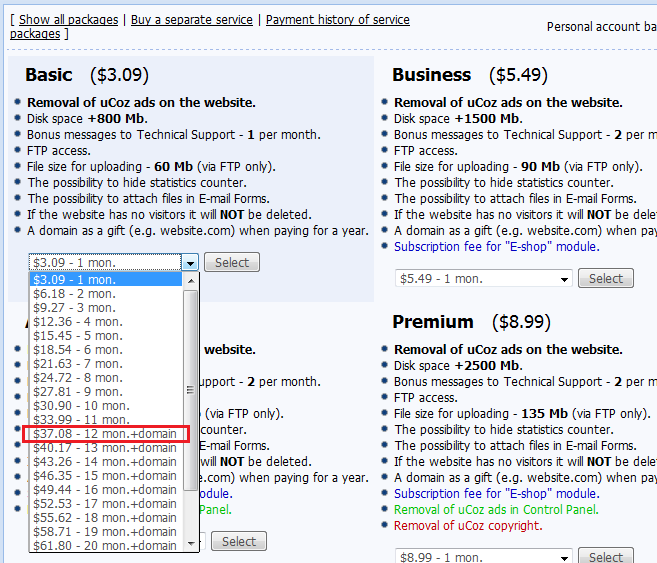 you will be able to register a second-level domain for free, with the help of a promo code 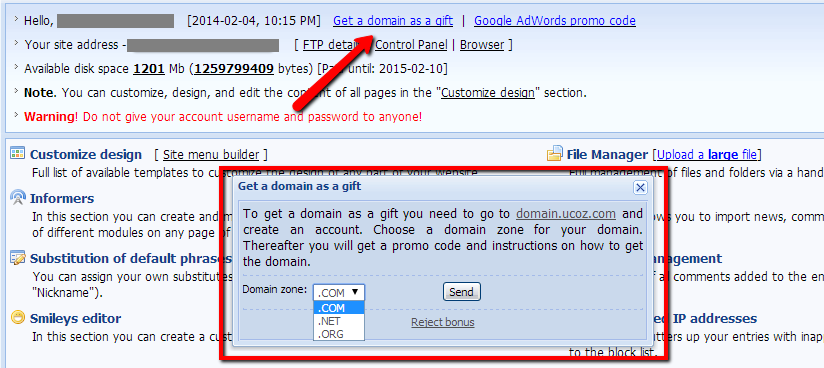 1. After you have filled in the form, you will get a promo code for domain registration. You will see a reply with the promo code in Control Panel -> Help -> Technical Support 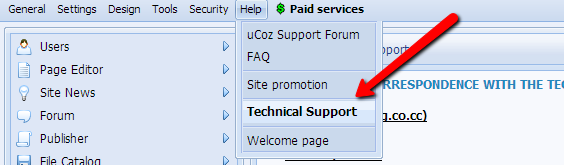 2. The promo code should be copied without spaces, otherwise you won't be able to apply it. 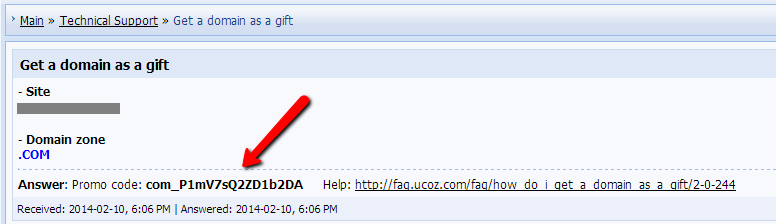 3. Now you need to log in to your account at http://domain.ucoz.com 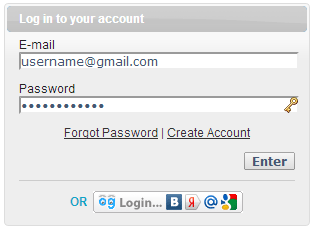 If you do not have an account, you need to sign up. 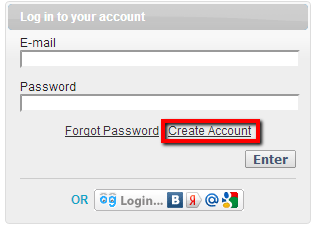 Just fill in the form that will appear 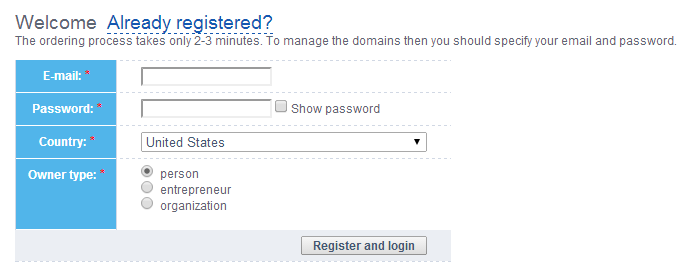 4. After you have logged in, you can start the domain registration process: Domains -> Register new domain. 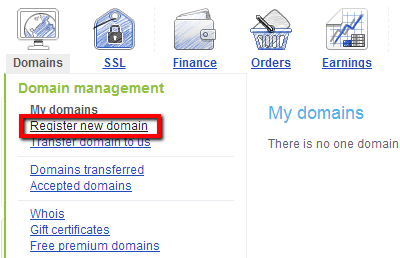 5. Enter the address of the domain you want to register. The system will check its availability in various domain zones, and will offer you the available variants. Choose a variant and click "Buy". 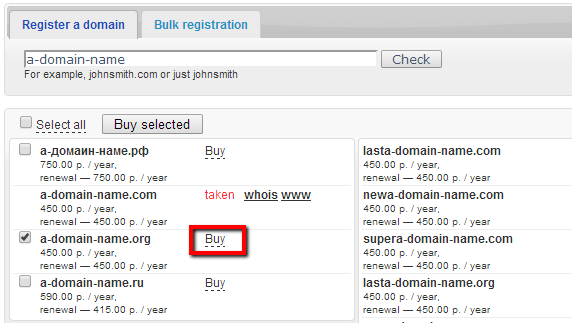 6. Start submitting your order. You will be offered to enter a promo code on the order submission page. Paste it into the corresponding field and click "Place order". 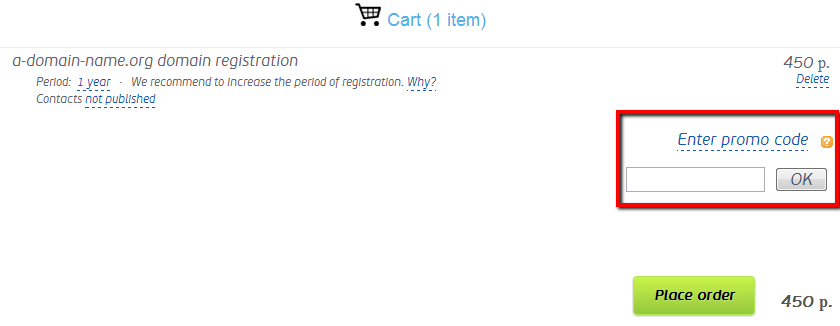 If you cannot get a domain as a gift for some reasons, you need to contact Technical Support: Control Panel -> Help –> Technical Support |
|
Answer: To delegate a domain name to the uCoz servers (domain attachment by Method 2) you need to set the uCoz DNS servers (name servers) in the domain control panel. The uCoz DNS servers are ns1.ucoz.net, ns2.ucoz.net. How to set the uCoz DNS at domain.ucoz.com Log in to domain.ucoz.com, go to the "My domains" section and click the domain name you want to delegate. 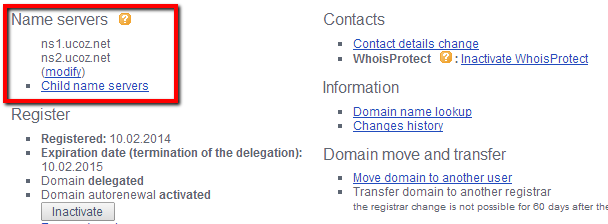 Click "Modify" under "Name servers", enter the DNS servers and click "Apply changes". How to set the uCoz DNS at domainS.ucoz.com Log in to domainS.ucoz.com and click "My account". 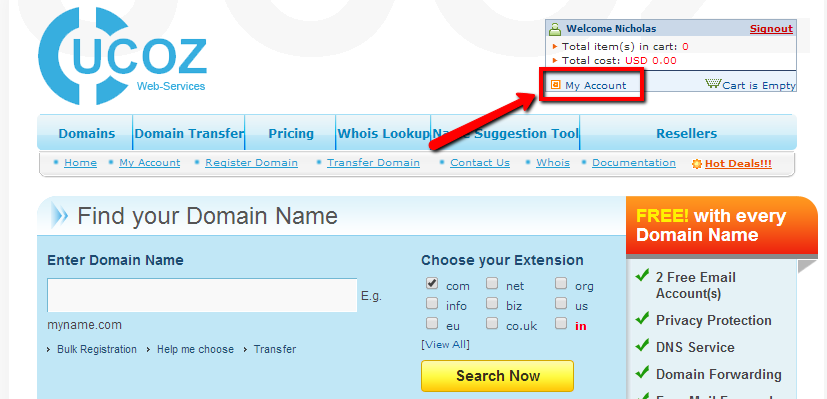 Go to Manage Orders -> List/Search Orders.  Select the domain name you want to delegate and click the edit icon. 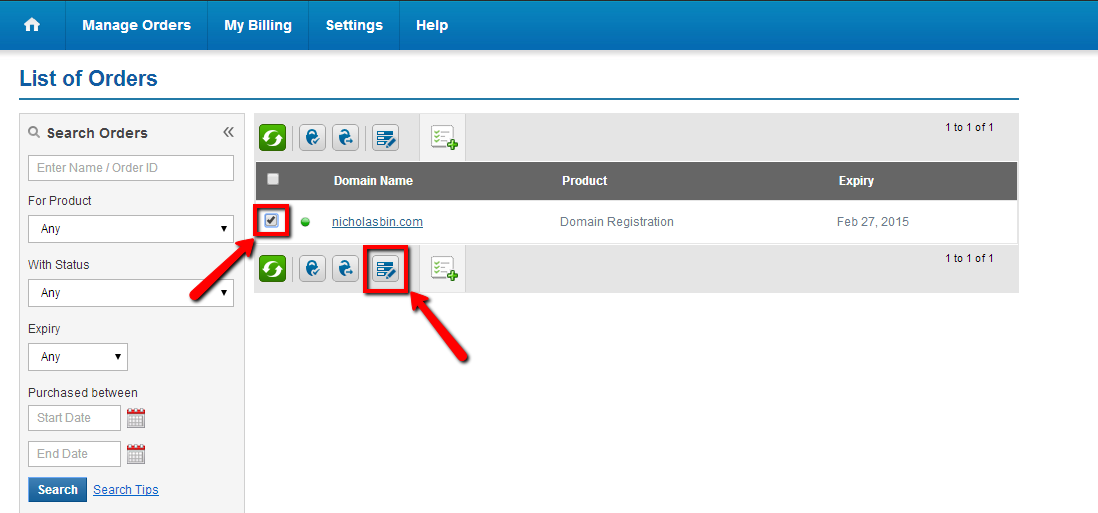 Enter the name servers and click "Modify Name Servers". 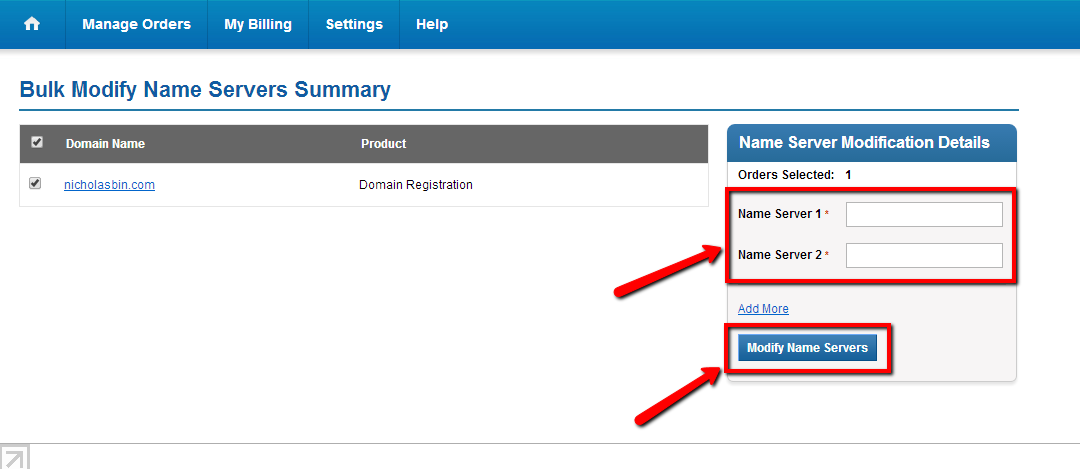 |
|
Answer: The detailed information about domain transfer is available at uCoz Domains: http://domainsp.ucoz.com/kb/servlet/KBServlet/cat121.html To transfer a domain name to another domain registrar, you will need an Auth Code (also called Secret Key or EPP Code). To get the code, log in to domains.ucoz.com/, go to the "My account" section and click the domain name you want to transfer. 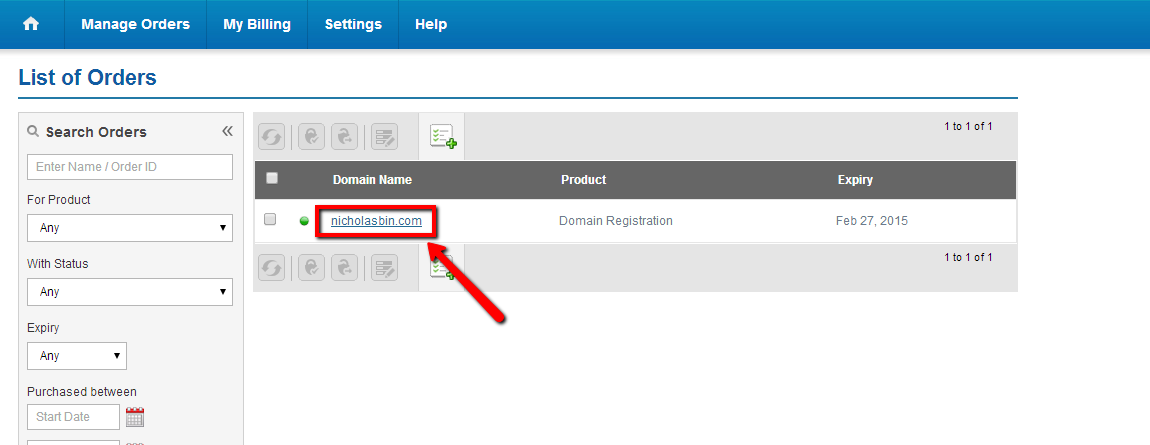 Click "Domain Secret" to get the code. 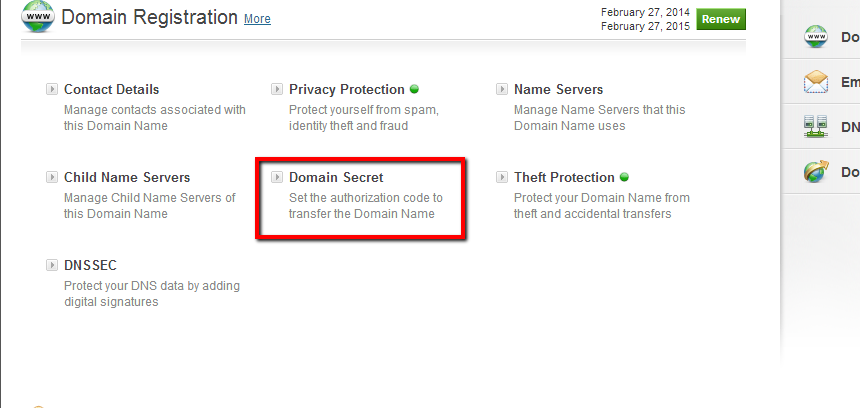 |
|
Answer: When registering a domain name, the user must provide correct personal data. According to the rules of ICANN, the organization that controls domain names, the provided data must be accessible through the WHOIS database. In some cases such information can be used for malicious purposes, e.g. spamming. Privacy Protection allows to hide the personal data and publish the data of the domain registration company instead. Your personal data will be stored in the registrar's database, and the domain will still belong to you. To enable/disable WhoisProtect for a domain at domain.ucoz.com, go to your account: My domains -> Domain name -> Activate/Inactivate Whois Protect. To enable/disable Privacy Protection at domainS.ucoz.com, please see the following guide. |
|
Answer: First attach your personal domain, e.g. "mysite.com", in the section "Domain attachment" of the Control Panel (Method 2, domain transfer by DNS). Afterwards you'll be able to adjust MX records and create various e-mail accounts in your domain with the help of various mail services, e.g. Gmail.com (Google Mail). |
|
Answer: You need to set the following DNS servers: dns1.webdrive.ru and dns2.webdrive.ru. After doing so the features that were inaccessible before would be enabled in your personal account at domain.ucoz.com. They are redirect settings and zone management. |