You are in the category: Design Customization | All categories
Go to:
or
|
Answer: You can ask all of your design related questions on our Community Forum. You will find answers to many questions on the corresponding forum board. If you use a template, purchased in our official store uCozTemplates.com, you can ask questions on this forum. |
|
Answer: By default the standard favicon.ico is displayed in a browser address bar for all uCoz websites. To replace it, just upload a custom icon to the root folder of File Manager or FTP. The image must be named "favicon.ico". You will find a more detailed tutorial on our Forum.  |
|
Answer: To add such block to your website, you need to enable the corresponding option in Common Settings: Control Panel -> Settings -> Common settings -> Activate "Who's online" feature:  And don't forget to add the following codes to the template: $ONLINE_COUNTER$ and $ONLINE_USERS_LIST$. You can do this in Control Panel -> Design -> Design management (templates). |
|
Answer: We made sure that the process of replacing the necessary blocks was simple. All you need to do is change the phrases in the corresponding section: Control Panel -> Design Customization -> Quick replacement. 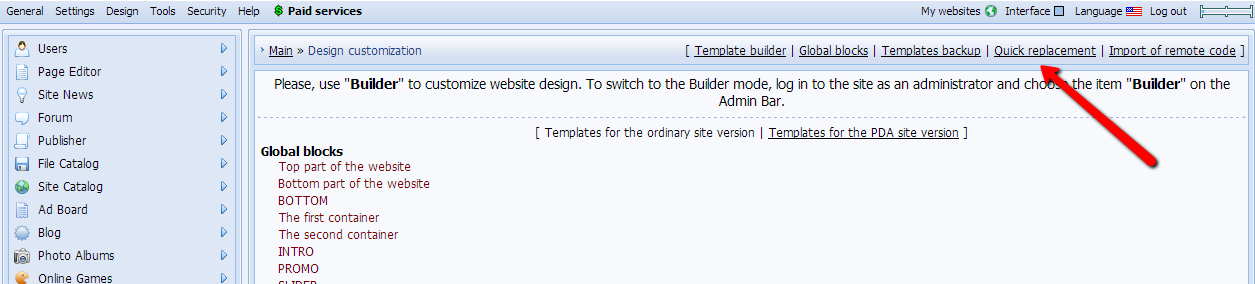 Enter the phrase to be replaced and the phrase you want to replace it with. 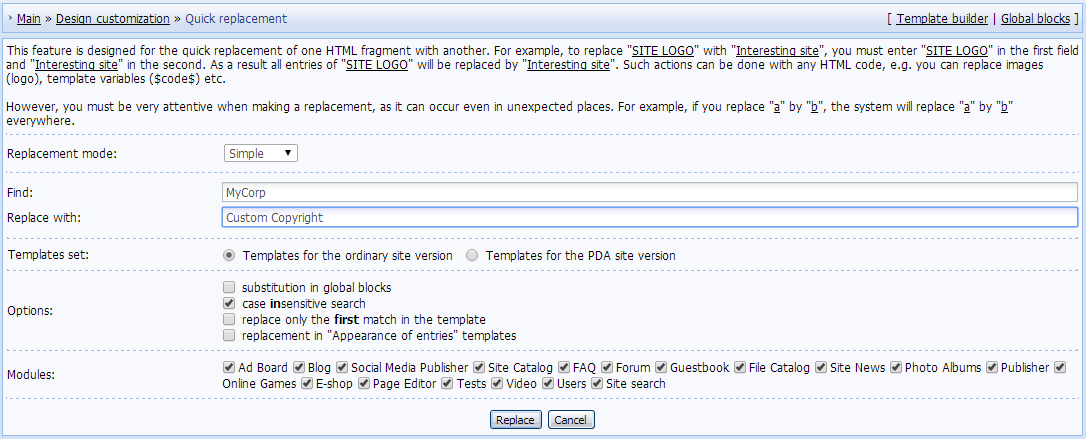 |
|
Answer: Possible problems:
|
|
Answer: Global blocks make working with website design much easier. With the help of global blocks you can make changes that will be applied to the whole website at once. It is not possible to use one and the same block on a page multiple times. You should also note that all codes, available in the templates, work in global blocks, but codes of other global blocks don't work. |
|
Answer: Initially there are 4 system global blocks: top, bottom, the first and the second container. Additionally you can create 6 more global blocks. The total number of blocks cannot exceed 10. |
|
Answer: It is not possible to edit the system $codes$. |
|
Answer: Header Editor is a tool that helps users customize website headers. With its help you can upload a text or a picture in several clicks, and you don't need to work with HTML and CSS codes. To work with Header Editor, you must switch into the Builder mode. If the possibility to use Builder is deactivated on your website, you can activate it in Control Panel -> Settings -> Common settings -> Use "Builder" for the website design customization. 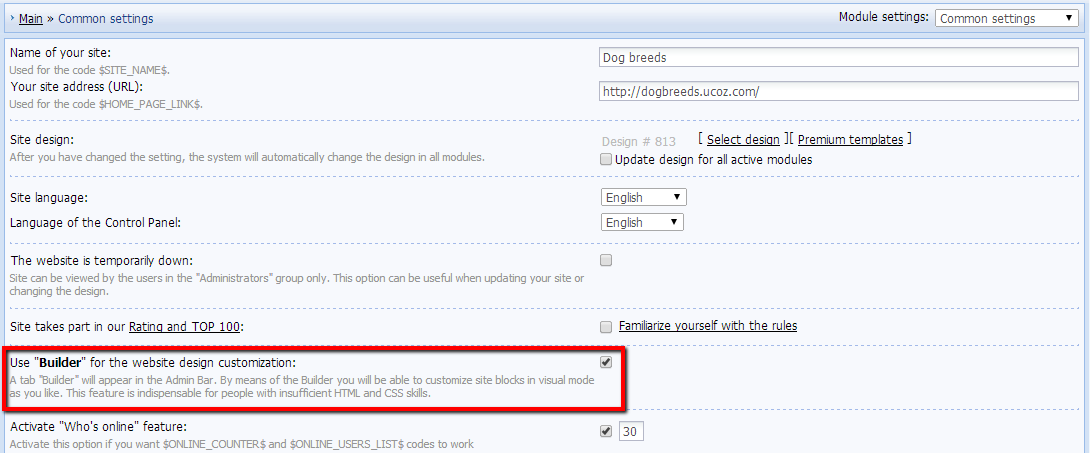 Then, after you log in to the website as the administrator, you will be able to enable Builder. 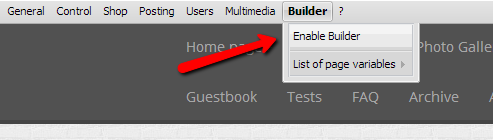 In the Builder mode you will be able to use Header Editor (if the chosen design supports the Header Editor mode, a number of older designs does not have this option). 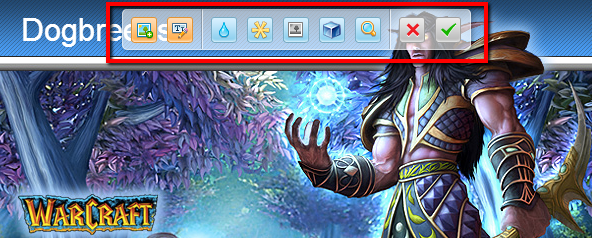 You can read more about Visual Header Editor on our Forum. If Builder is not available on your Admin Bar, you need to do the following: go to Control Panel -> Users -> User groups -> Set permissions for all groups -> Other -> Edit site design, put a checkmark and save the changes. 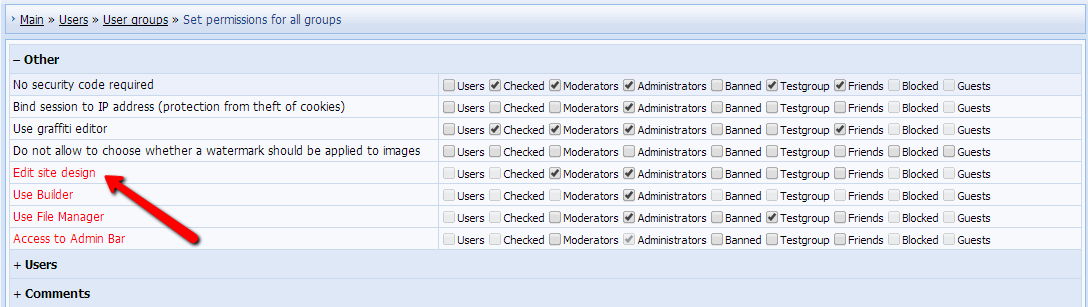 |
|
Answer: You can buy professional uCoz templates in the official template store - uCozTemplates.com. You can also order installation of a template on your website. |
|
Answer: We offer several tools that can be used to work with your website:
The WYSIWYG editor, used in uCoz, is a visual editor that displays content similar to the end result. Its main purpose is to simplify the process of website customization for those, who do not have coding skills. Nonetheless, we do not recommend to use the visual editor, because sometimes the generated code may be displayed by browsers incorrectly. |
|
Answer: uCoz has the functionality, necessary to back up your website. You can create both a full website backup and a template backup. To create a template backup, go to Control Panel -> Design customization -> Template backup: Create backup copy. To restore a template backup, select the necessary copy and click "Restore". Important:
|
|
Answer: Template Builder allows to create a unique site design and to edit the existing one. The Builder can be used to divide page into blocks which then can be filled with content, forbidden to be displayed in certain sections, or modified as you need. To start working with Template Builder, go to Control Panel -> Design Customization -> Template Builder. Here you can use the system codes, listed at the bottom of the page. 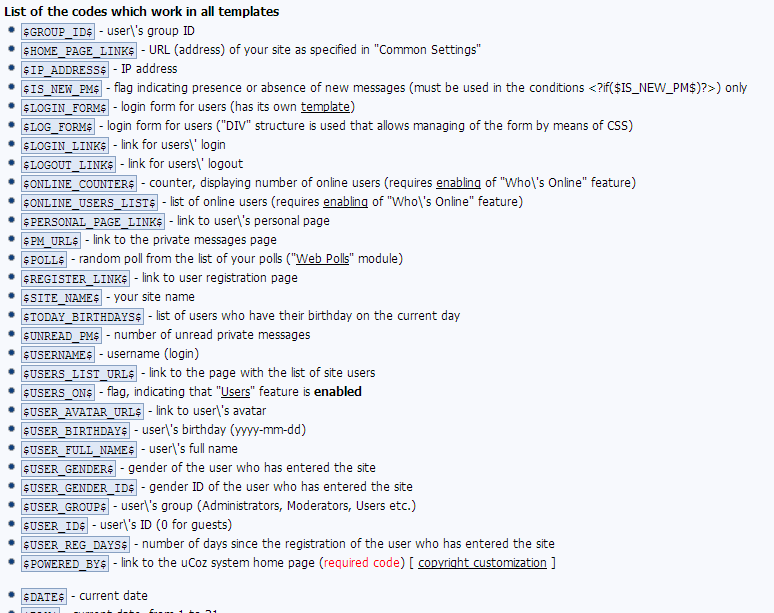 You can also use skeleton tags that "divide" a page into blocks. To get the list of skeleton tags and codes, click "Help". 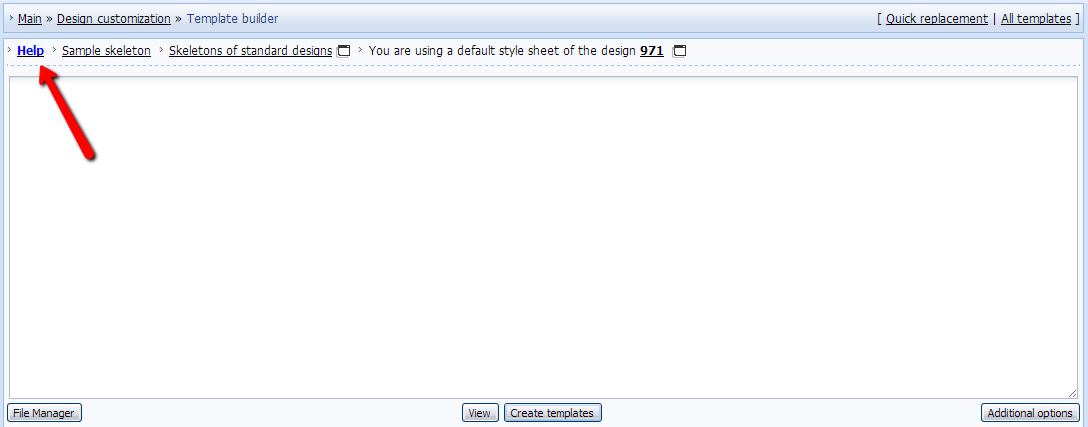 Before you start working with Template Builder, don't forget to create a template backup, otherwise you can damage website performance. You will find more info on Template Builder in a short guide. |
|
Answer: Sure. uCoz has an option that enables a mobile version of the website. You need to go to Control Panel -> Settings -> Common settings -> Activate PDA templates.  The default PDA templates can be edited in Control Panel -> Design customization -> Templates for the PDA site version. 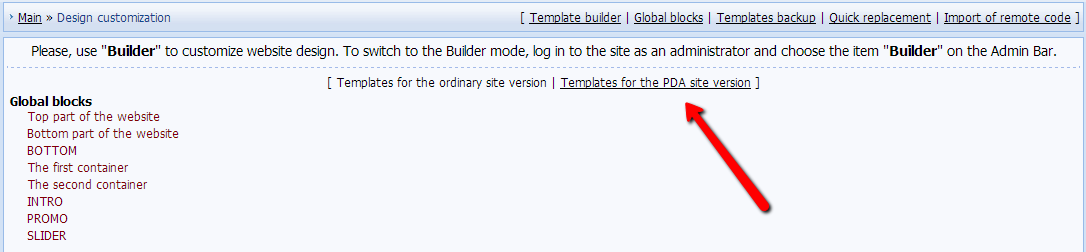 You can view the mobile version of your website if you add /pda after the website address, e.g. sitename.com/pda. If a mobile device is used to view the website, the mobile version will be displayed automatically. |
|
Answer: uCoz has a feature that allows to replace parts of HTML code with custom data quickly and easily. To use the feature, go to Control Panel -> Design Customization -> Quick replacement.  To make a replacement, enter a code or a phrase to be replaced into the "Find" field, and enter what you want it to be replaced with into the "Replace with" field. Set other necessary options and click "Replace". Be careful with the feature, otherwise you might replace the code where you didn't intend to do it. |
|
Answer: In uCoz it is possible to set personal design for site pages, created in the Page Editor module (links to such pages end with /index/0-id). 1. To edit a page, log in as the website administrator. Click the button for editing page HTML code.  2. Check the option "Apply personal template to the page".  3. Go to Control Panel -> Design Customization, find the page on the list of templates and customize its layout as you need. 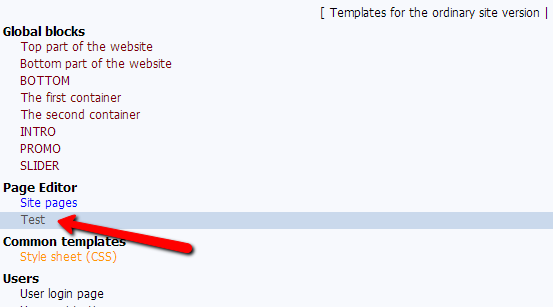 The maximum number of personal pages is 20. When you create pages with personal templates, remember that they differ from the "Site pages" template. They don't have a header, side blocks and other elements. |
|
Answer: Go to Control Panel -> Design customization. Choose a template, insert there any HTML code. |