You are in the category: Account Management | All categories
Go to:
or
|
1. Can I change the address of my site into any other uCoz address (site1.ucoz.com into site2.ucoz.com)?
Answer: In uCoz users get free third-level domains when creating websites. Such domain names cannot be changed, but you can always attach a custom second-level domain to your website, and change one second-level domain into another. To do this, you need to buy a domain from any domain registrar, and then attach it to your website. There is a step-by-step guide on domain attachment. Note that you cannot attach several domains to one and the same website. |
|
Answer: The message is composed in such a way that it suits all users. That is why there is no need in changing the message and it is not possible to do this. |
|
3. I removed the website via its Control Panel, but it is still on the "My websites" list in my Webtop. How do I remove it?
Answer: Websites are removed from Webtop with a slight delay. It will be removed from the website list soon. |
|
Answer: You've lost your password? Use the following form to recover it: guid.uid.me/remind. |
|
Answer: To retrieve the answer to the secret question, you need to contact the Support Team. Use the Contact Us form or send a support ticket via the website Control Panel -> Help -> Technical Support. You may use the following text: "Hello, Please help me retrieve the answer to the secret question for the website [website URL]. What data do I need to provide? Thank you." Recommendations: If you send documents, please do not use image hosting services. Otherwise you risk disclosing your personal data to third parties. |
|
Answer: You can change the FTP password in the website Control Panel: Security -> Change FTP password. Enter a new password and the answer to the secret question. 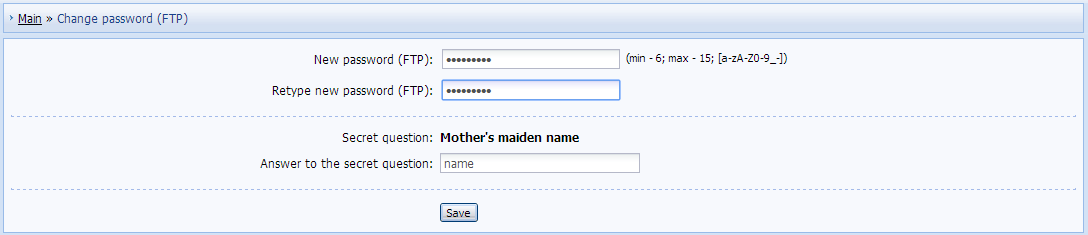 |
|
Answer: The contact details can be changed in Control Panel -> Settings -> Common settings -> Contact details. To change the contact e-mail, click "Change".  You will see a form where you must enter your name, a new e-mail address, and the answer to the secret question. Then click "Save". 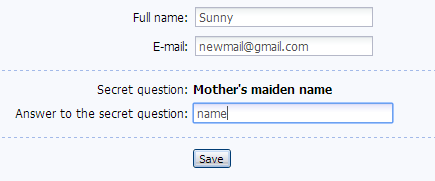 You will receive a verification message to the provided e-mail address. Click the link from the message or enter the code into the corresponding field in Common Settings to verify your e-mail. Please provide the real data because all notifications about your website will be sent to the provided e-mail. |
|
Answer: uID is a profile page builder that allows you to create a personal page with a unique layout, latest news from your social accounts and other information. You can connect accounts from the following social media to your page news feed: Facebook, Google+, Youtube, LinkedIn, Twitter, Instagram. All uID features are absolutely free. Read more about the service on our Forum. |
|
Answer: To do this, go to Control Panel -> Security -> Change of site owner. Provide the e-mail address of or the link to the uID profile where you want to transfer your website. Note that a transfer can be cancelled only before the other party confirms it. 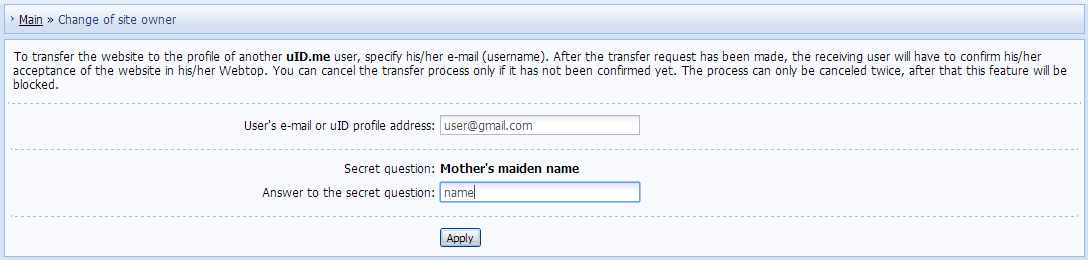 Click "Apply". If you did everything correctly, you will see the following message: 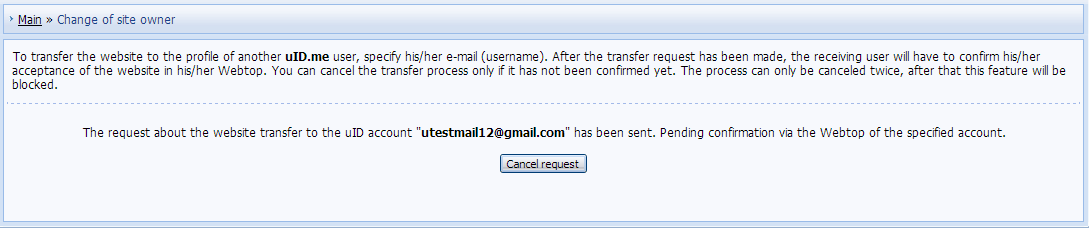 Transfer Confirmation A website transfer is confirmed via Webtop. If the user who transfers a website to you have already submitted a request, you will see a notification in your Webtop. To accept the website, click "Confirm". 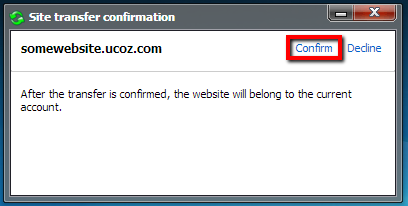 Congratulations! Now the website belongs to you, and you will see it on the list of your websites in Webtop. |
|
Answer: By connecting your mobile phone number to your account you considerably increase the account security. If you lose access to your account, you will be able to easily restore it with the help of your phone number. To verify your phone number, go to Control Panel -> Security -> Verify phone number, enter your phone number and click "Confirm". 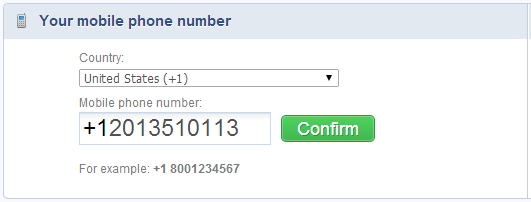 You will receive an SMS message with a verification code. Enter the code into the corresponding field and click "Enter code from SMS". 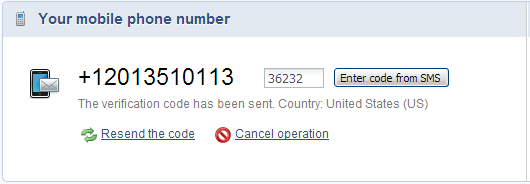 If the verification is successful, you will see the following message: 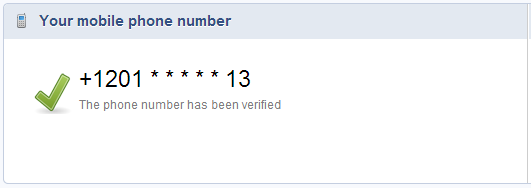 |
|
Answer: To have your phone number changed or deleted, you need to contact the Support Team via Control Panel -> Help -> Technical Support. |